Mac remote control for iPhone
Your Mac.
From your iPhone.
Trackpad, keyboard, media, screenshots and power — sent straight from your iPhone to your Mac over SSH. At home on your own network, away through your own VPN.
- Free to start
- No account
- No cloud relay
- iOS 26 or later
Uses what your Mac already has
- Remote Login (SSH)
- Bonjour
- Apple Music
- Spotify
- Safari
- Google Chrome
- Tailscale
- WireGuard
Instruments
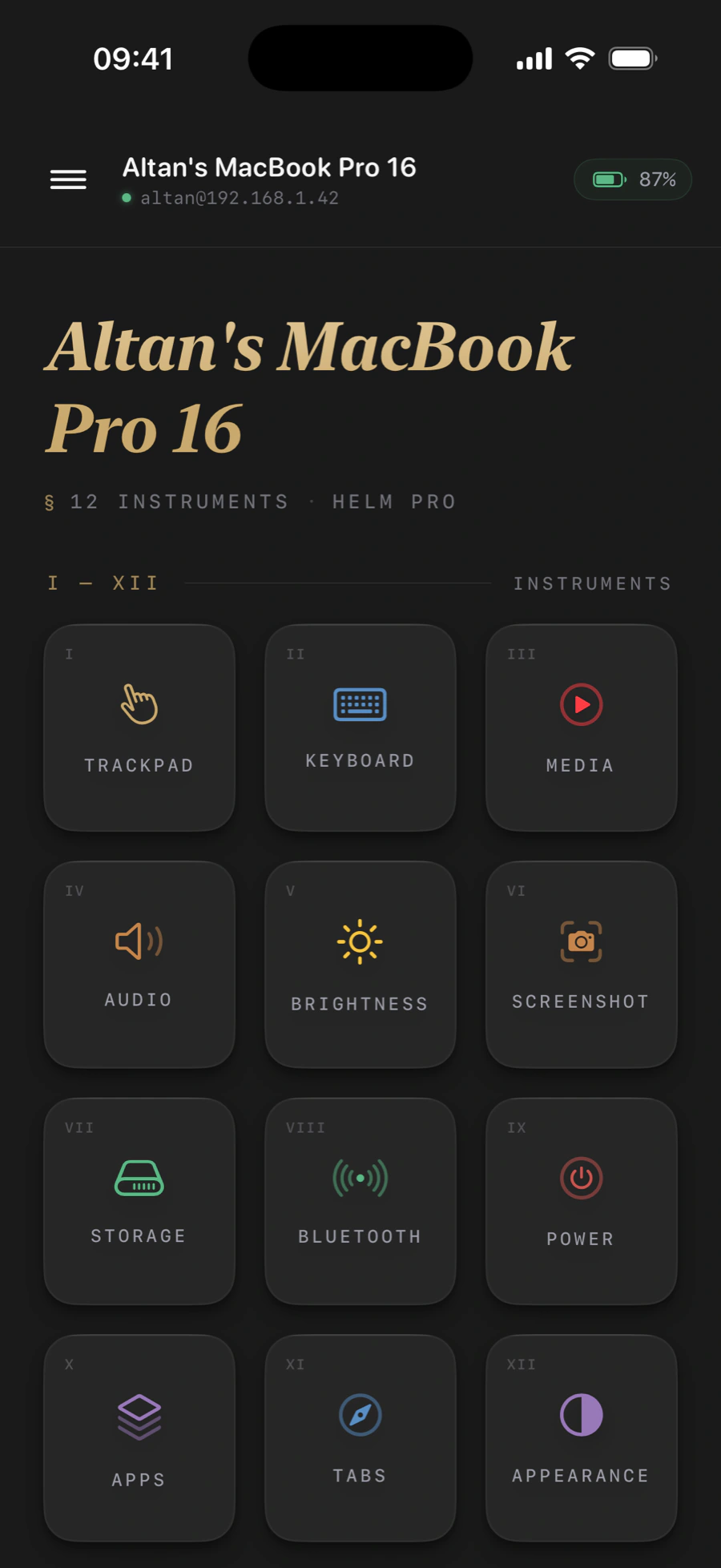
Thirteen controls.
One screen each.
Every instrument is its own screen — no settings trees, no hidden menus. Trackpad, Keyboard, Audio, Brightness and Power are free. Helm Pro adds the other eight with a single purchase.
-
01FREE
Trackpad
Move the pointer, left- and right-click, and scroll from the strip at the edge. Sensitivity from 0.5 to 4× with Pro.
-
02FREE
Keyboard
22 shortcuts in seven groups. Clipboard and Edit are free; the other groups and free-text typing come with Pro.
-
03FREE
Audio
A volume dial, mute, fine steps and six presets — from Whisper to Film.
-
04FREE
Brightness
Display brightness to the percent, with six presets from Reading to Sunlight.
-
05FREE
Power
Sleep, lock, restart and shut down, each behind a confirmation. Shows the Mac's model, macOS version and battery.
-
06PRO
Media
Now playing with artwork, play, skip, seek, shuffle and repeat — for Apple Music and Spotify.
-
07PRO
Screenshot
Capture the Mac's screen, preview it on your iPhone, then copy it to the Mac's clipboard or save it to its Desktop.
-
08PRO
Storage
Used, free and total space on the system disk, and how much each of your home folders holds.
-
09PRO
Bluetooth
Paired devices, which are connected and how much battery they have — with one-tap connect and disconnect.
-
10PRO
Apps
Running apps with search. Bring one to the front, or quit and force-quit with a confirmation first.
-
11PRO
Browser tabs
Safari and Chrome tabs in one list, searchable by title or address. Close or reload any of them.
-
12PRO
Appearance
Switch dark mode on or off and choose from eight macOS accent colours.
-
PRO
Live Mac
Half-fold an iPhone Duo and the top panel shows your Mac's screen live, with its sound — tap, double-tap, hold or drag on it to steer the pointer — while the bottom panel becomes a full Mac keyboard with a function row. In the same posture, the other instruments sit on top with a trackpad underneath.
Setup
Ready in three steps.
No installer and no background service on the Mac. Helm uses macOS's own Remote Login and a couple of small, optional command-line helpers.
-
Turn on Remote Login
On your Mac, open System Settings → General → Sharing and switch on Remote Login. Note the username shown there.
-
Let Helm find your Mac
Helm finds Macs on your network through Bonjour — for example
altan-macbook.local. Enter your password once; Helm keeps it in the iOS Keychain if you ask, and pins the Mac's host key. -
Add the optional helpers
For the trackpad and Bluetooth switching:
brew install cliclick blueutil. Brightness and smooth Live Mac use Apple's Command Line Tools (xcode-select --install). macOS may ask for Accessibility, Automation or Screen Recording the first time.
Away from home
At home or away.
Always direct.
Give a saved Mac a second address — the one your own VPN assigns it — and Helm reaches it from a café, an office or a hotel room. There is still no Helm server between your iPhone and your Mac.
- At homeWhen Bonjour sees your Mac, Helm uses its address on your local network.
- AwayAdd a Tailscale, WireGuard or other VPN address and port. Tailscale connections are labelled as such.
- AutomaticHelm picks the route for you and, after a network error, tries the other one once. You can also pin a route per Mac.
Included without Helm Pro.
At home. Bonjour sees your Mac, so Helm uses its address on your network.
Live Mac · iPhone Duo
Your Mac's screen on top.
A full keyboard below.
Half-fold an iPhone Duo and Helm splits at the hinge. The top panel shows your Mac's screen and turns your touches into pointer input. The bottom panel is a Mac keyboard with a function row.
- PointerTap to click, double-tap to double-click, hold for a secondary click, drag to move the pointer.
- KeyboardLaid out like your Mac's own keyboard — letters, numbers, punctuation and arrows follow the layout the Mac is using. Tap ⌘, ⌥, ⌃ or ⇧ and it applies to the next key. The function row has brightness, Spotlight, Mission Control, media and volume.
- Live viewUp to 30 frames a second, with a smaller picture when you are away. If the connection slows down, Helm skips frames and lowers the quality instead of falling behind.
- SoundWhat your Mac plays comes through your iPhone. The speaker button next to Pause turns it off.
- Other screensIn the same posture, every other instrument sits on top with a trackpad underneath.
Part of Helm Pro. Helm shows Live Mac only on iPhone Duo, on iOS 27.1 or later. Smooth video and sound need macOS 13 or later and Apple's Command Line Tools on the Mac; without them Live Mac runs in a basic mode, about a frame a second with no sound.
On iPhone
Made for one hand.
A calm interface in light and dark that stays out of the way, with haptic feedback for every command. In six languages: English, Türkçe, Français, Italiano, Deutsch and Español.
-
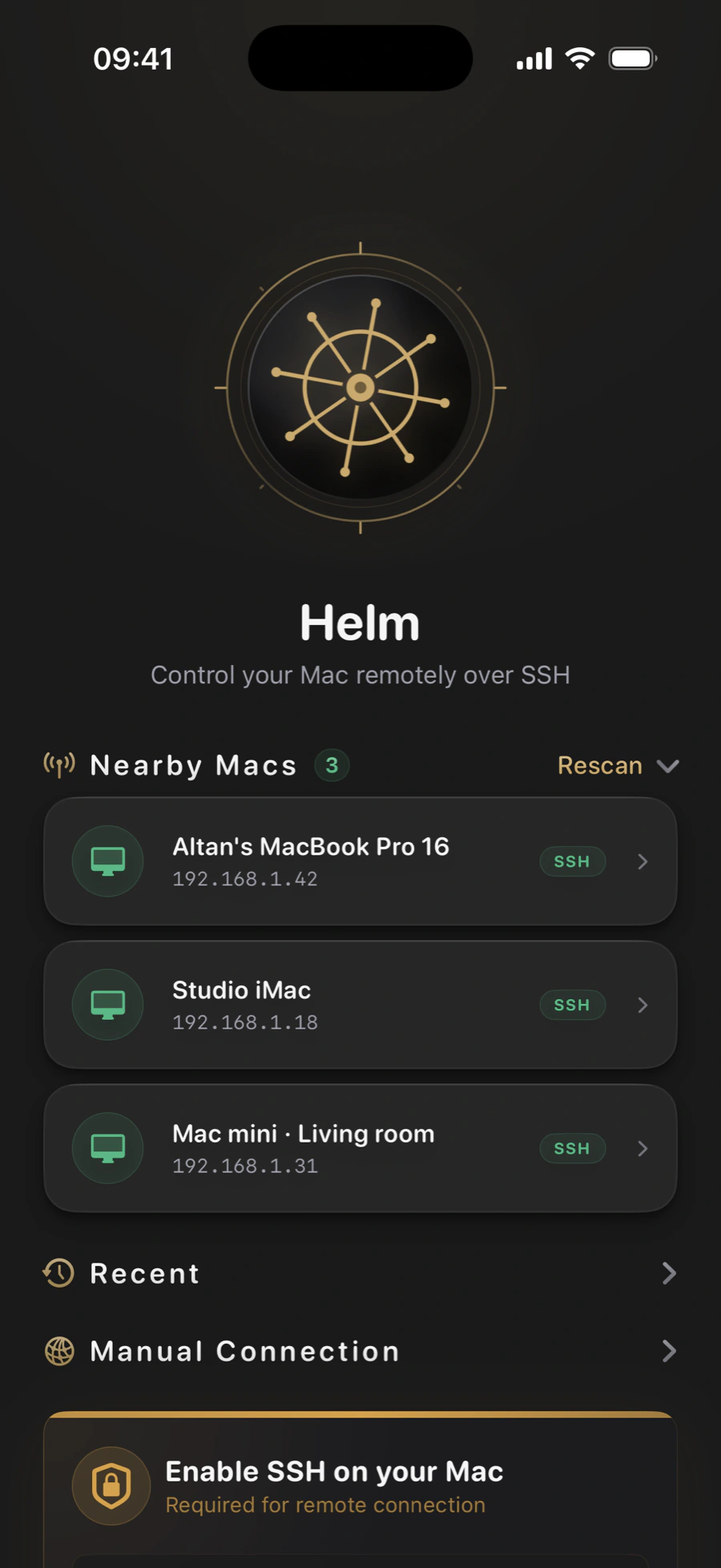
ConnectMacs on your network appear by name. -
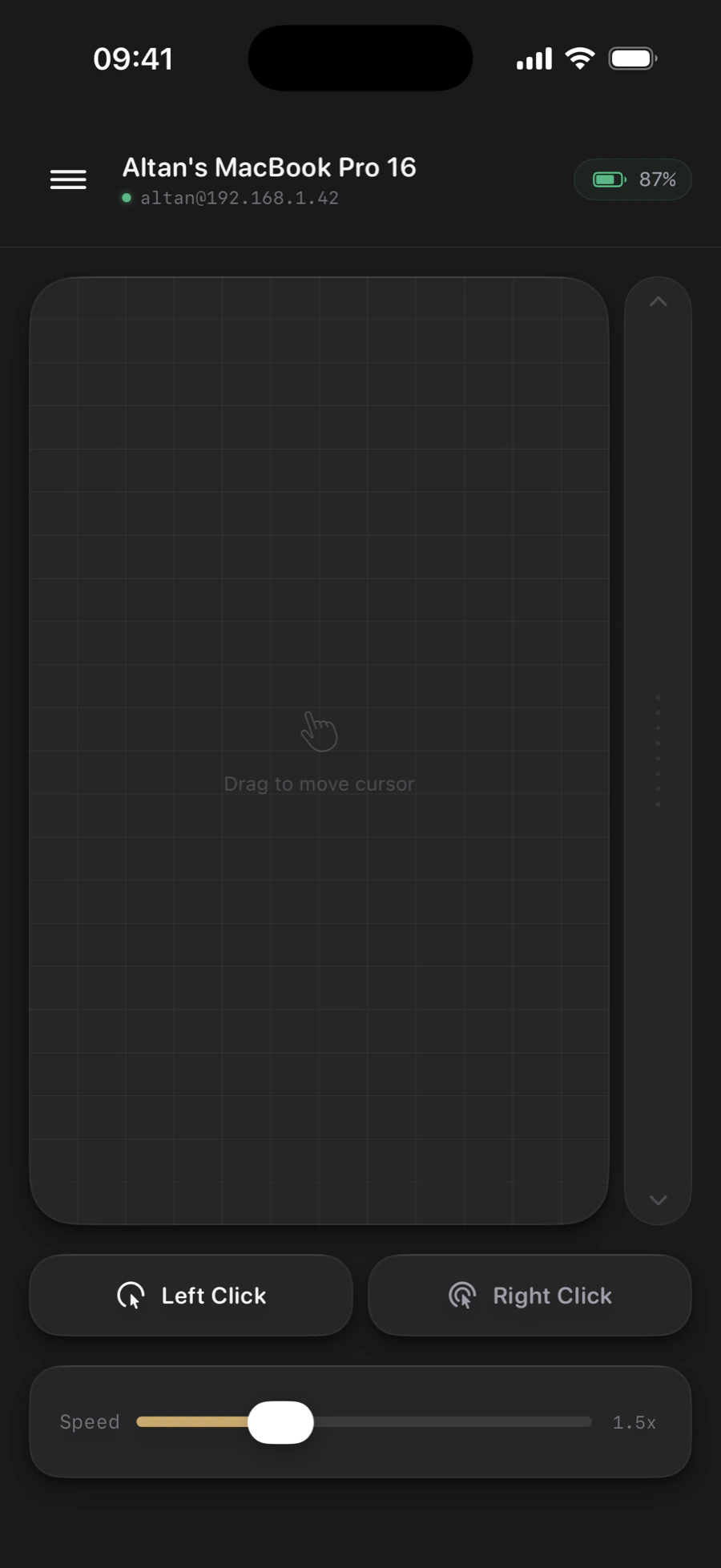
TrackpadA full-height surface with click buttons and a scroll strip. -
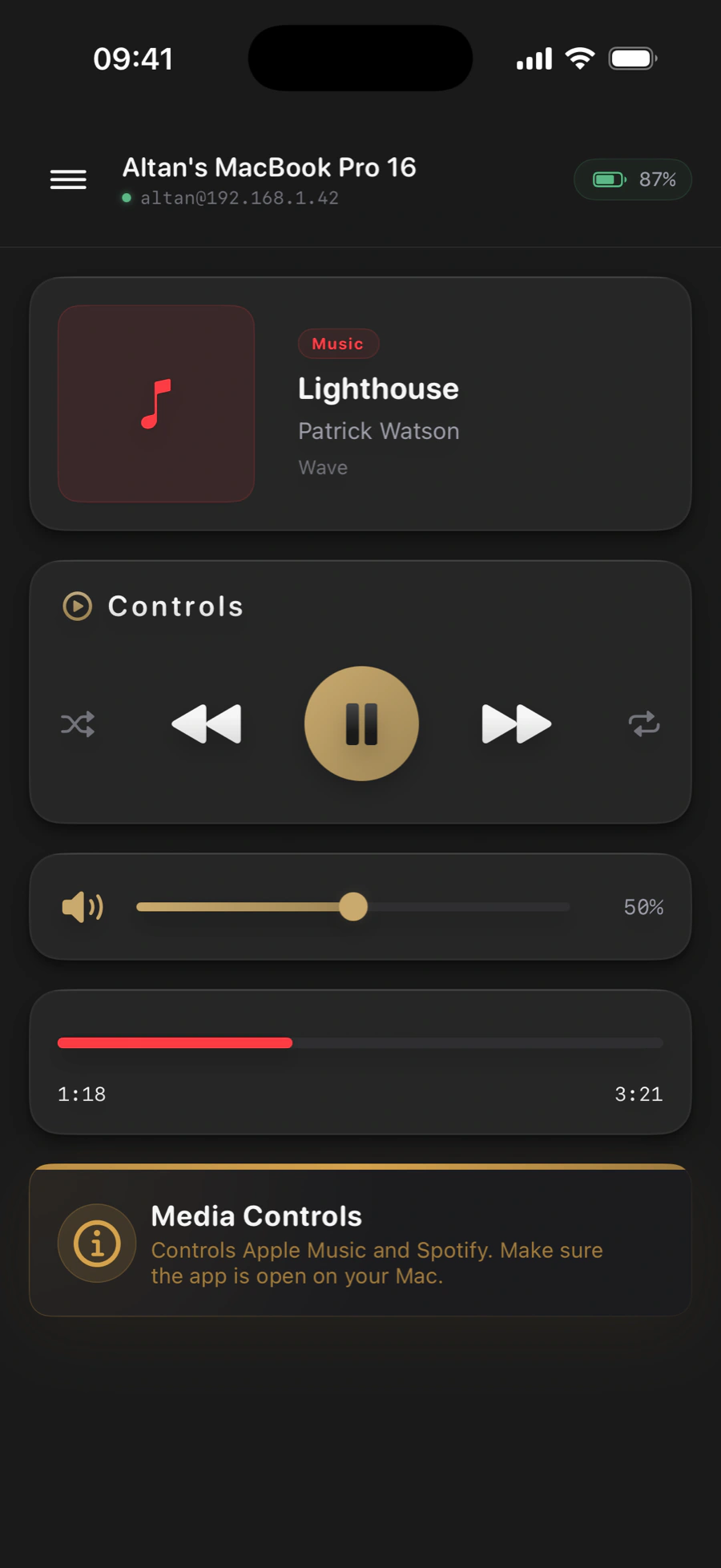
MediaWhat's playing on your Mac, with controls to match.
Privacy
Your iPhone talks to your Mac.
Nobody else listens.
Helm has no server, no account and no copy of what you do. The few things that do leave your iPhone are listed in full in the privacy policy.
-
Direct SSH
Commands travel in an encrypted SSH session from your iPhone to your Mac. Helm runs no relay server.
-
Keychain, this device only
Your password is saved only if you ask, never synced to iCloud, and sent only to your Mac.
-
Pinned host key
Helm remembers each Mac's SSH key fingerprint and refuses to connect if it changes.
-
Analytics you can switch off
A small set of usage events — never your commands, screen or password. One switch in Settings turns them off.
Helm Pro
Start free.
Unlock Pro once.
Trackpad, keyboard, audio, brightness, power and the away-from-home route are free. Helm Pro is a single in-app purchase — no subscription — and stays unlocked for your Apple ID. Restore it any time from Settings.
HELM PRO · ONE-TIME PURCHASE
Eight more instruments.
The price is shown in the App Store for your region.
- Media, Screenshot, Storage and Bluetooth
- Apps and browser tabs
- Appearance
- Live Mac on iPhone Duo
- The full keyboard and free-text typing
- Adjustable trackpad sensitivity
No subscription. Refunds are handled by Apple.
What do I need on the Mac?
Remote Login, switched on in System Settings → General → Sharing. That covers keyboard shortcuts, audio, media, apps, tabs and power. The trackpad needs cliclick and Bluetooth switching needs blueutil (brew install cliclick blueutil). Brightness and the Bluetooth device list use Apple's Command Line Tools (xcode-select --install). Some instruments need a macOS permission — Accessibility, Automation or Screen Recording. For screenshots and Live Mac, Helm shows you where to add sshd-keygen-wrapper under Privacy & Security → Screen Recording. Smooth Live Mac — up to 30 frames a second, with sound — also needs the Command Line Tools and macOS 13 or later.
Does Helm work away from home?
Yes, through a private network you run yourself. Open a saved Mac, add the address your VPN gives it — Tailscale, WireGuard or similar — under Away from home, and leave Connect via on Automatic. Helm uses the home route when your Mac is on the local network and the away route when it isn't. There is no cloud relay.
What happens to my password?
If you ask Helm to remember it, it goes into the iOS Keychain on this iPhone only and is never synced to iCloud. Helm sends it to your Mac inside the encrypted SSH session, because that is how your Mac checks it's you. It is never sent to us or to analytics.
What runs on my Mac?
Short shell commands, one per action — cliclick for the pointer, osascript for audio and media, screencapture for screenshots, blueutil for Bluetooth, defaults for appearance. Helm installs no daemon, no agent and no login item. Live Mac is the one place it goes beyond single commands: the first time you open it on a Mac, Helm asks first; if you allow it, Helm sends the source of a small capture helper over SSH and compiles it on your Mac with Apple's Command Line Tools, into ~/Library/Caches/cappsule.helm. The helper runs only while Live Mac is open and exits when you leave. The folder stays for next time; delete it whenever you like, and Helm will ask again before putting it back.
What is Live Mac?
A Helm Pro instrument that appears only on iPhone Duo, on iOS 27.1 or later. Half-fold the phone: the top panel shows your Mac's screen live, with its sound, at up to 30 frames a second, and the bottom panel becomes a full keyboard. On a Mac without Apple's Command Line Tools, or older than macOS 13, it runs in a basic mode instead: about one frame a second, no sound.
Can I use more than one Mac?
Yes. Each Mac is saved with its own home and away address, its own Keychain entry and its own pinned host key. Switch between them from the Connect screen.
Does Helm collect analytics?
A small set of anonymous usage events through Firebase Analytics. They include the display name of the Mac you connect to, whether you connected at home or away, and the names of apps you act on in the Apps panel — never your commands, your Mac's IP address, your screen or your password. Every field is listed in the privacy policy, and Settings → Privacy turns it off.